Neighbourhood Kakis Guide
New to the app? Follow this guide to download the PA Community App, sign up as a Neighbourhood Kaki and book your first task to start contributing to your community!
Last updated on 27 September 2026
Get Started with Neighbourhood Kakis on PA's Community App
Neighbourhood Kakis empowers residents aged 50 and above to become active community contributors through simple and meaningful “Neighbourhood Tasks”. From visiting isolated seniors and packing meals for vulnerable families to supporting children’s literacy, there are different ways to contribute while staying active and connected to your community.
Start your Neighbourhood Kaki journey in 5 steps:
Download the app → Sign up → Browse tasks → Book a task → Contribute to your community
Download & Set Up
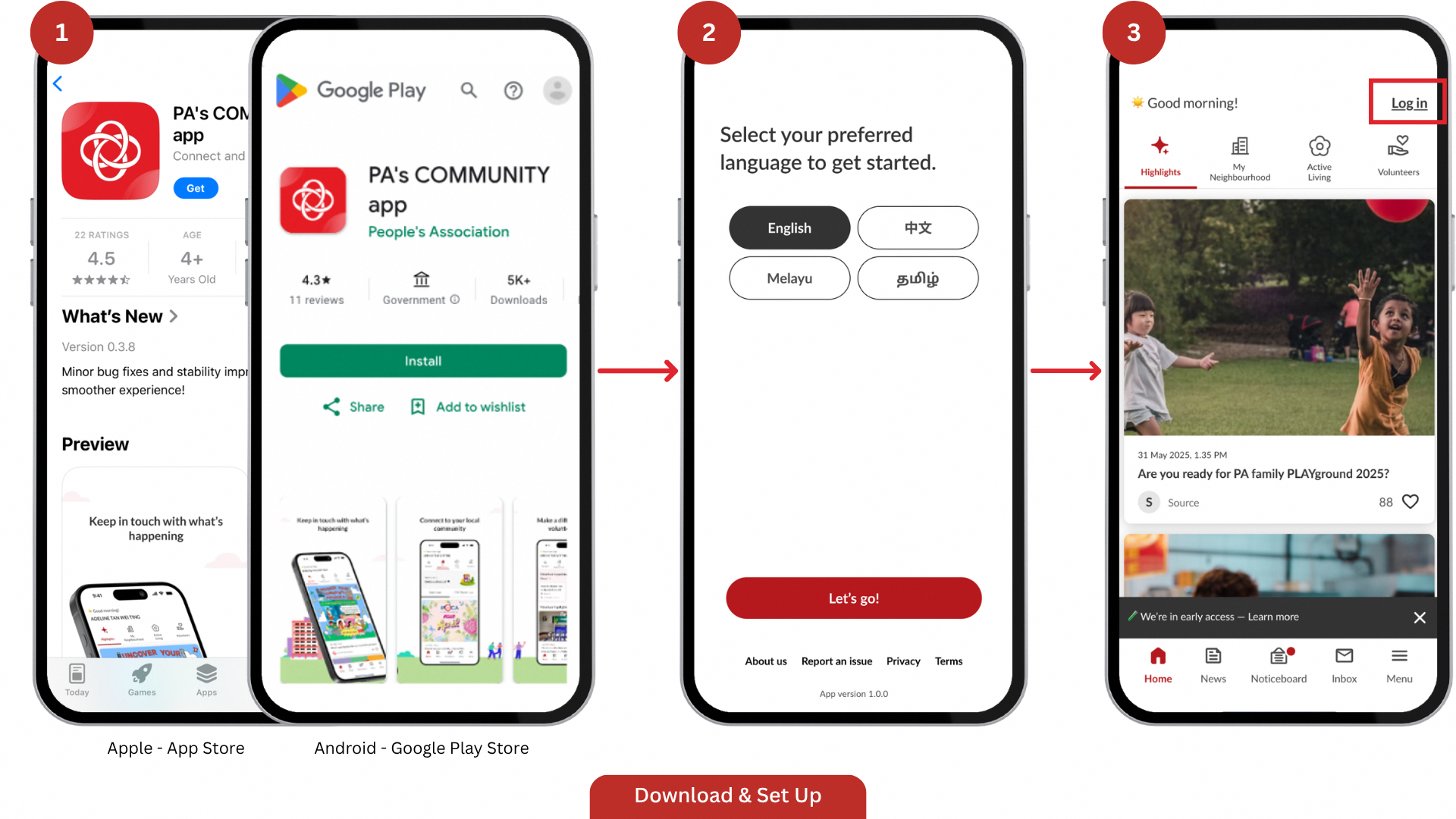
Download PA's Community App (opens in new tab) from the official App store or Google Play.
Always check that the developer listed is People's Association before downloading.
Do not download from third-party websites — this may expose your device to malware.
Open the app and select your preferred display language and tap Let's go.
Tap Log in, at the top right to get started.
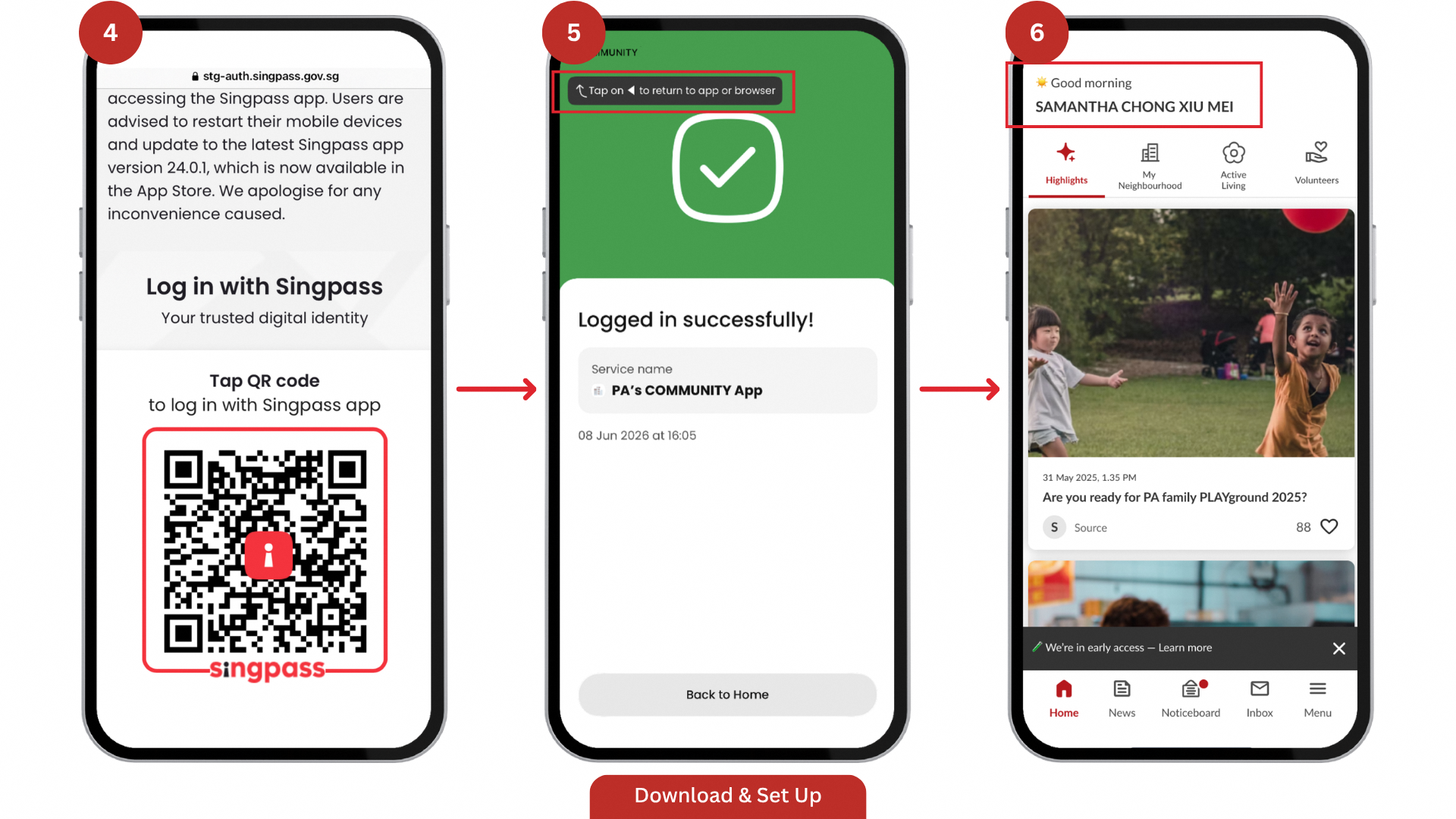
Proceed to log in with your Singpass.
Tap Return to App.
Your name will appear at the top left of the screen. This indicates that you have successfully logged in.
Sign Up as a Neighbourhood Kaki
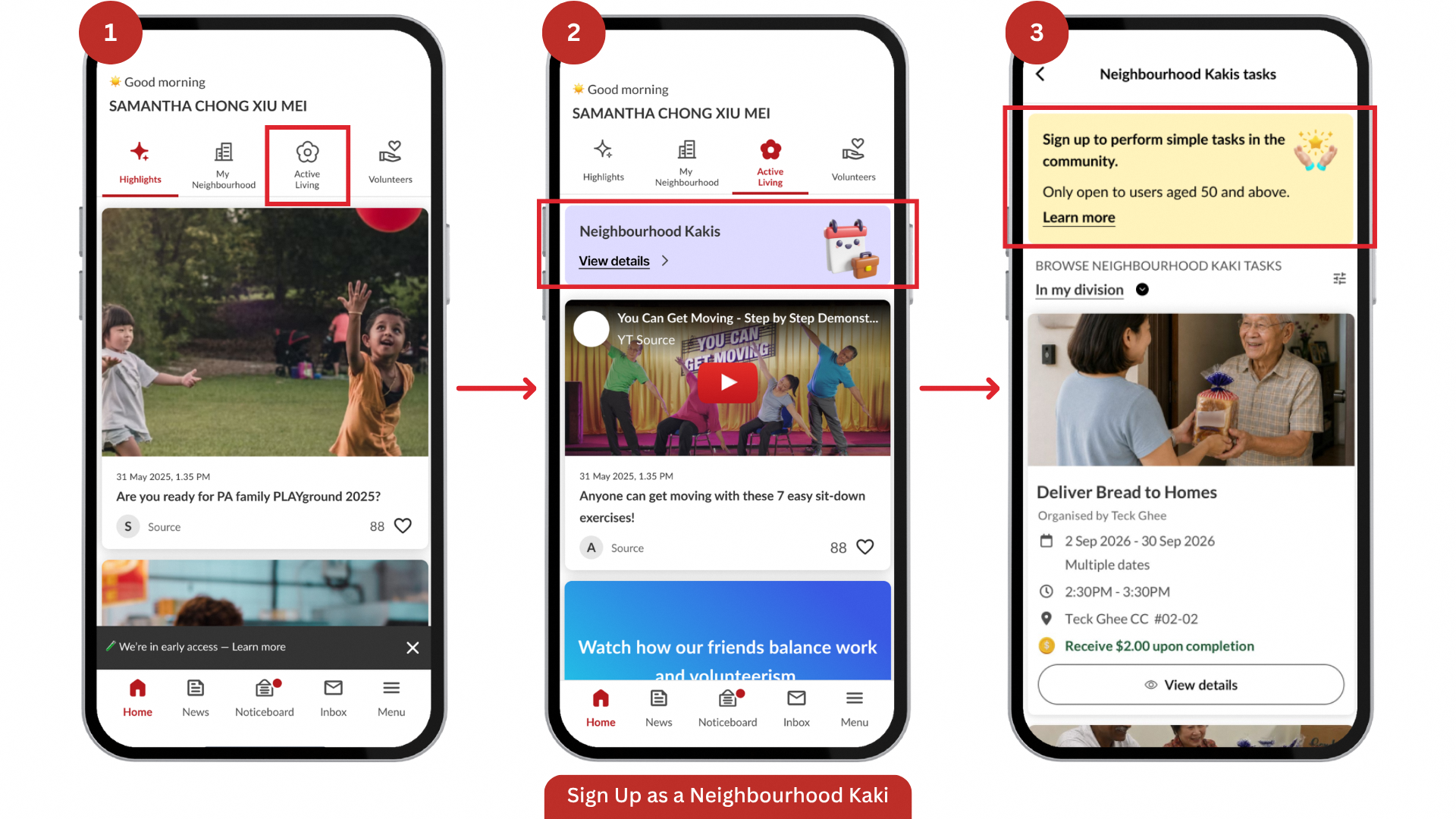
From the home screen, tap Active Living.
Tap View details.
Then, tap Learn more to sign up for simple community tasks.
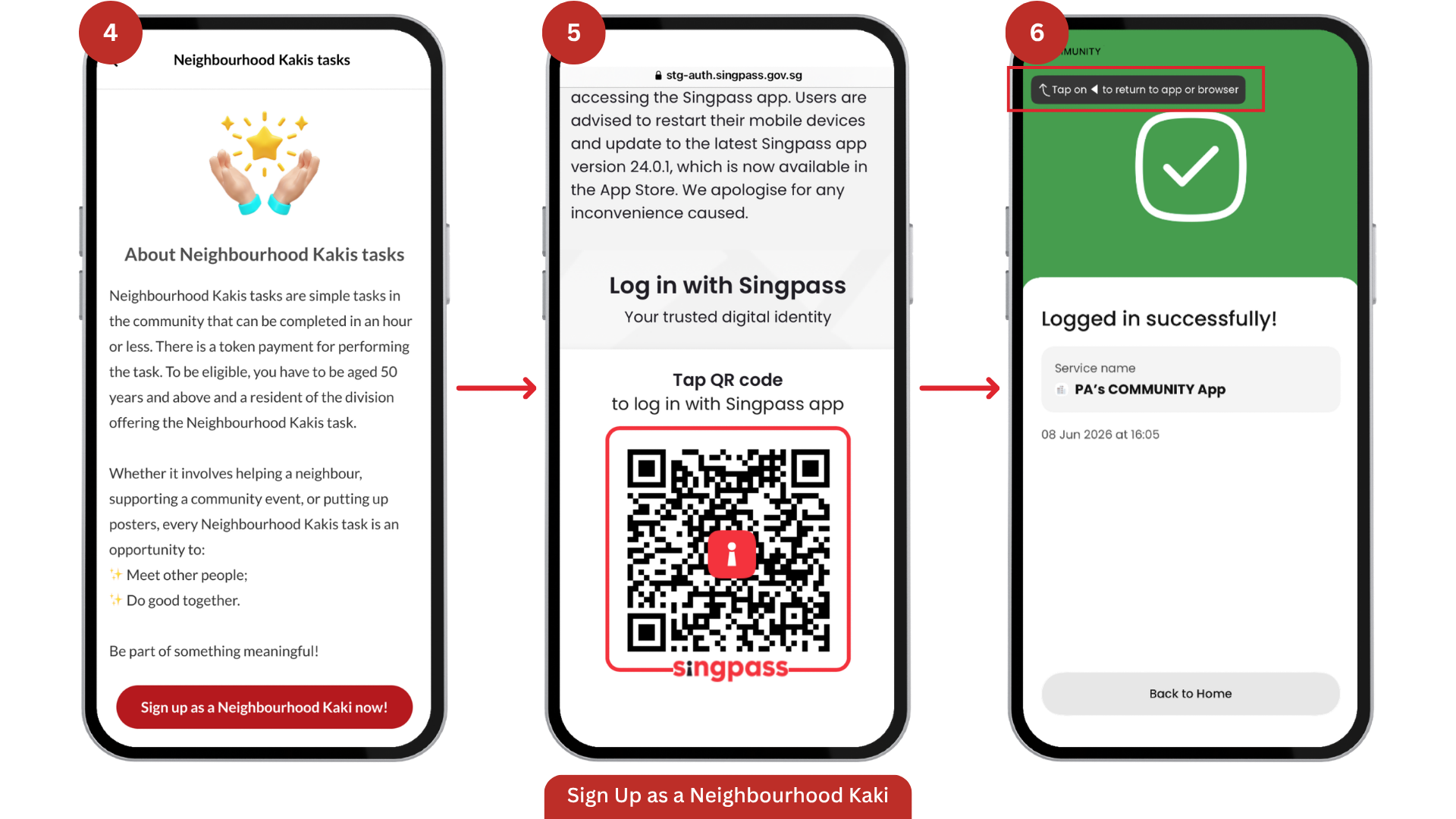
Tap Sign Up as a Neighbourhood Kaki Now!
Then tap Proceed to log in with your Singpass again.
Tap Return to App.
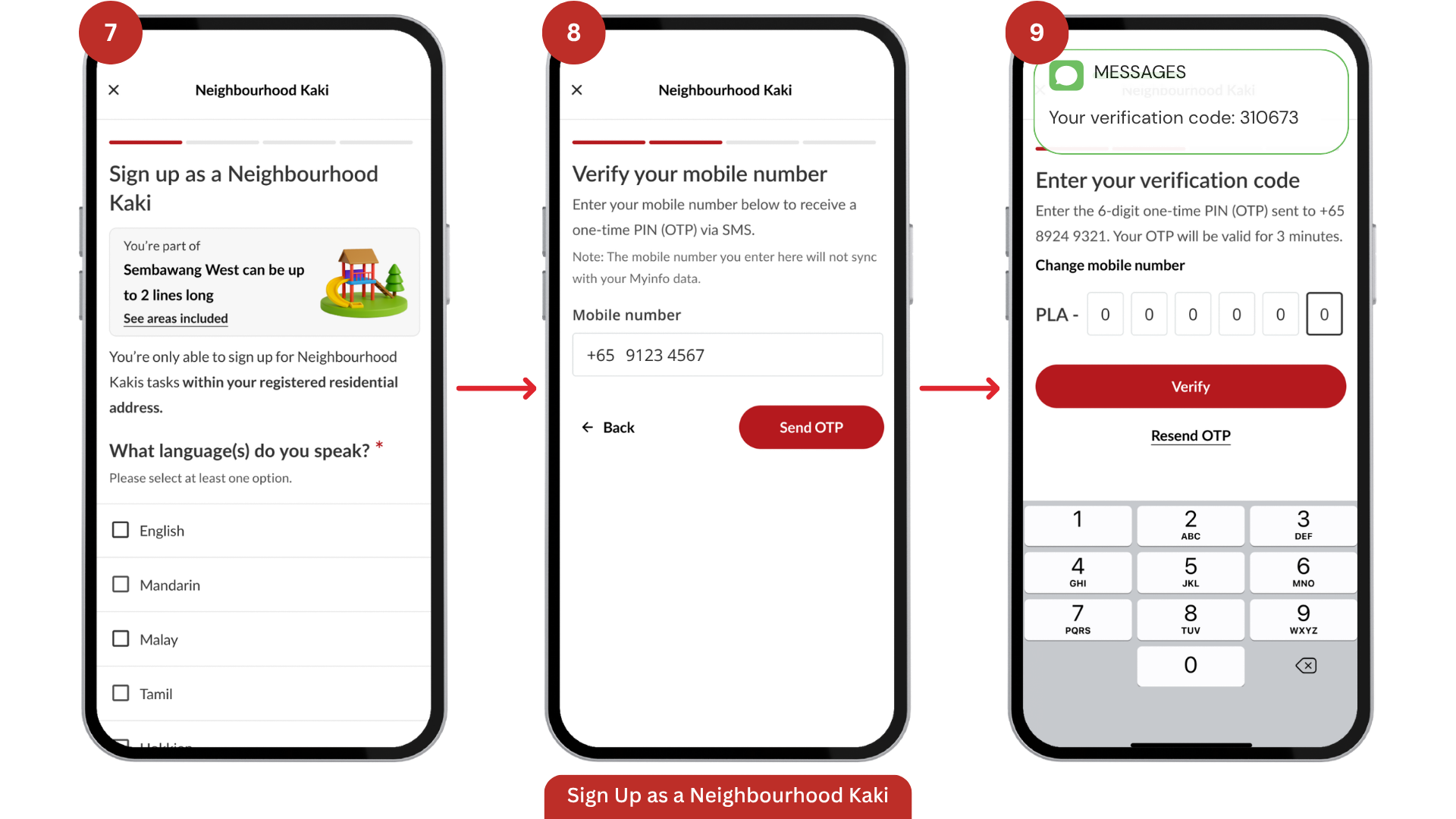
Select your preferred language(s).
Enter your mobile number and tap Send OTP.
Enter the one-time PIN (OTP) sent to your phone and tap Verify.
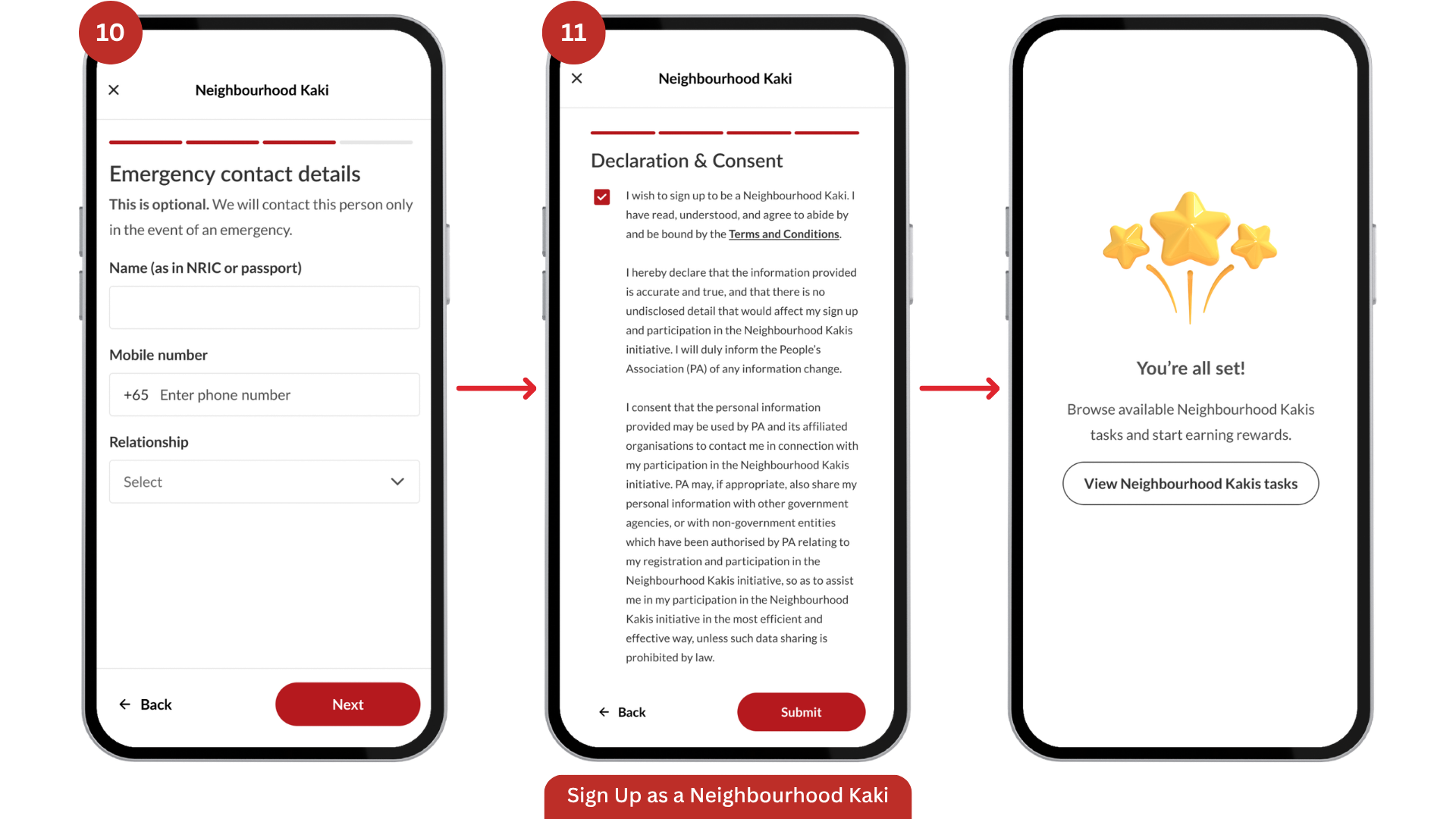
Enter an emergency contact's details.
Complete your Declaration and you're all set!
Book a Neighbourhood Kaki Task
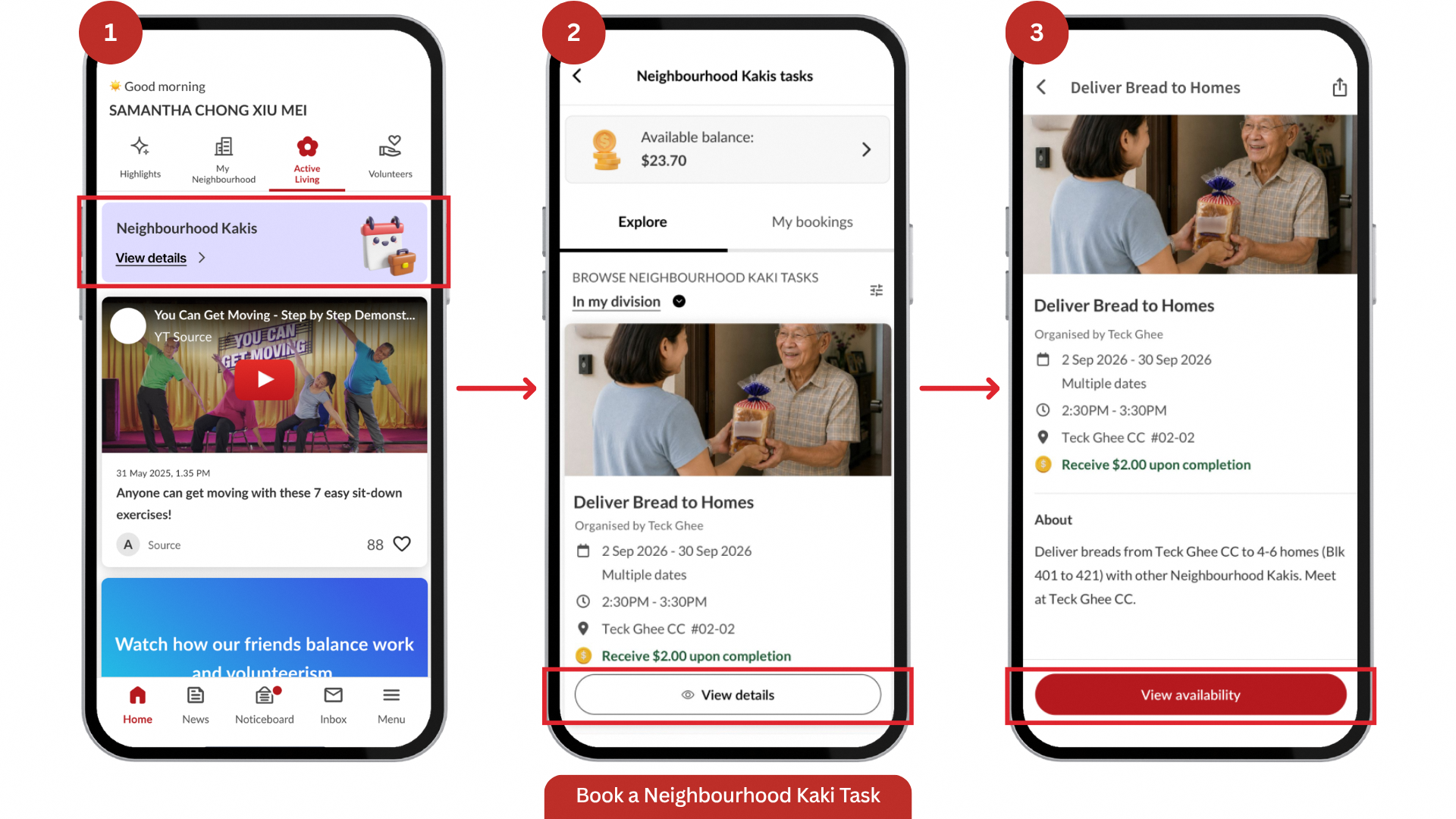
Go to Active Living tab and tap on View details.
Browse the list and tap View details on a task you're interested in.
Tap View availability.
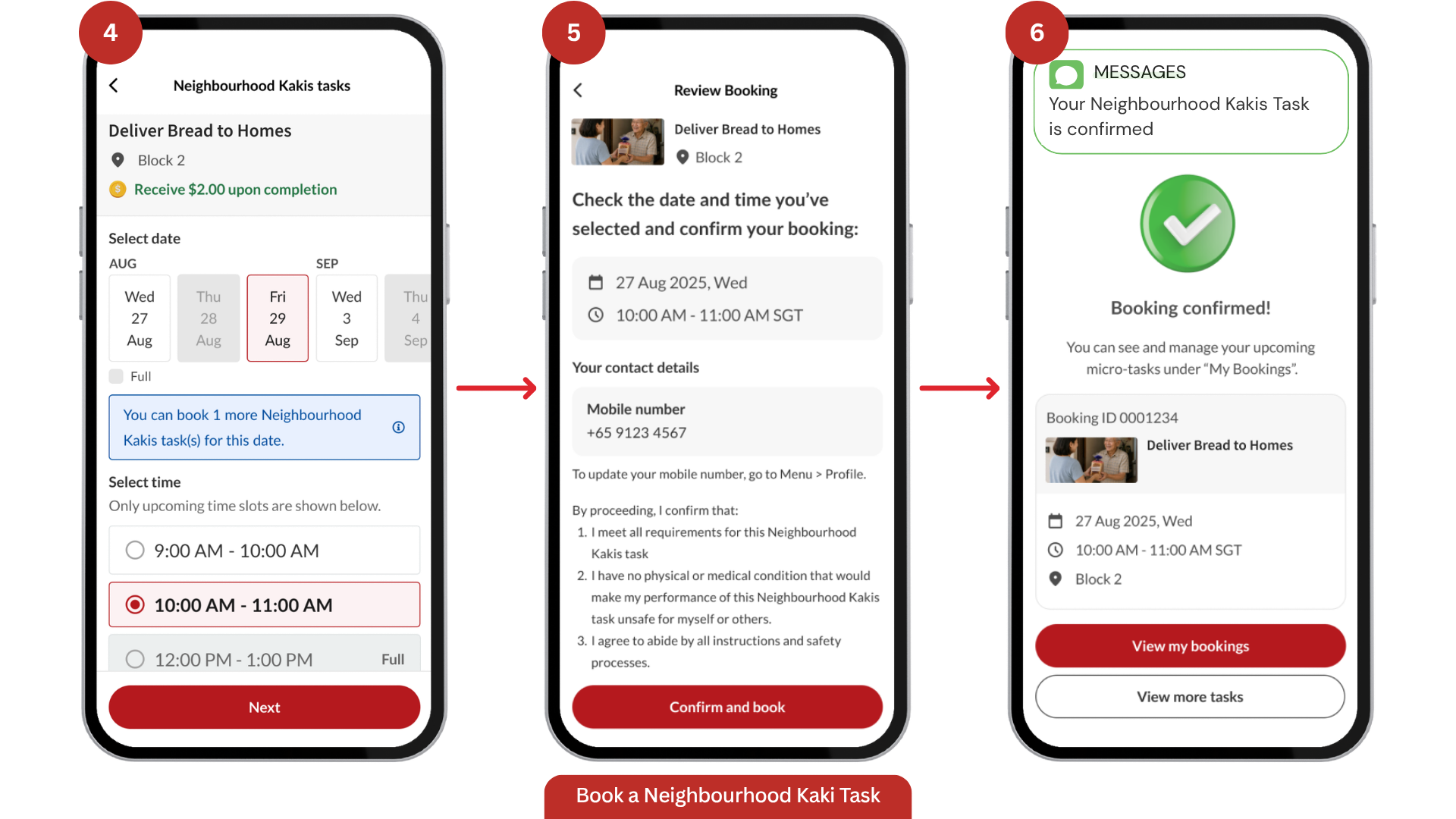
Select your preferred date and time, then tap Next.
Review the booking summary and tap Confirm and book.
You'll see a Booking Confirmed screen, which means your spot is secured. A confirmation will also be sent to you via SMS.
Manage Your Neighbourhood Kakis Task Bookings
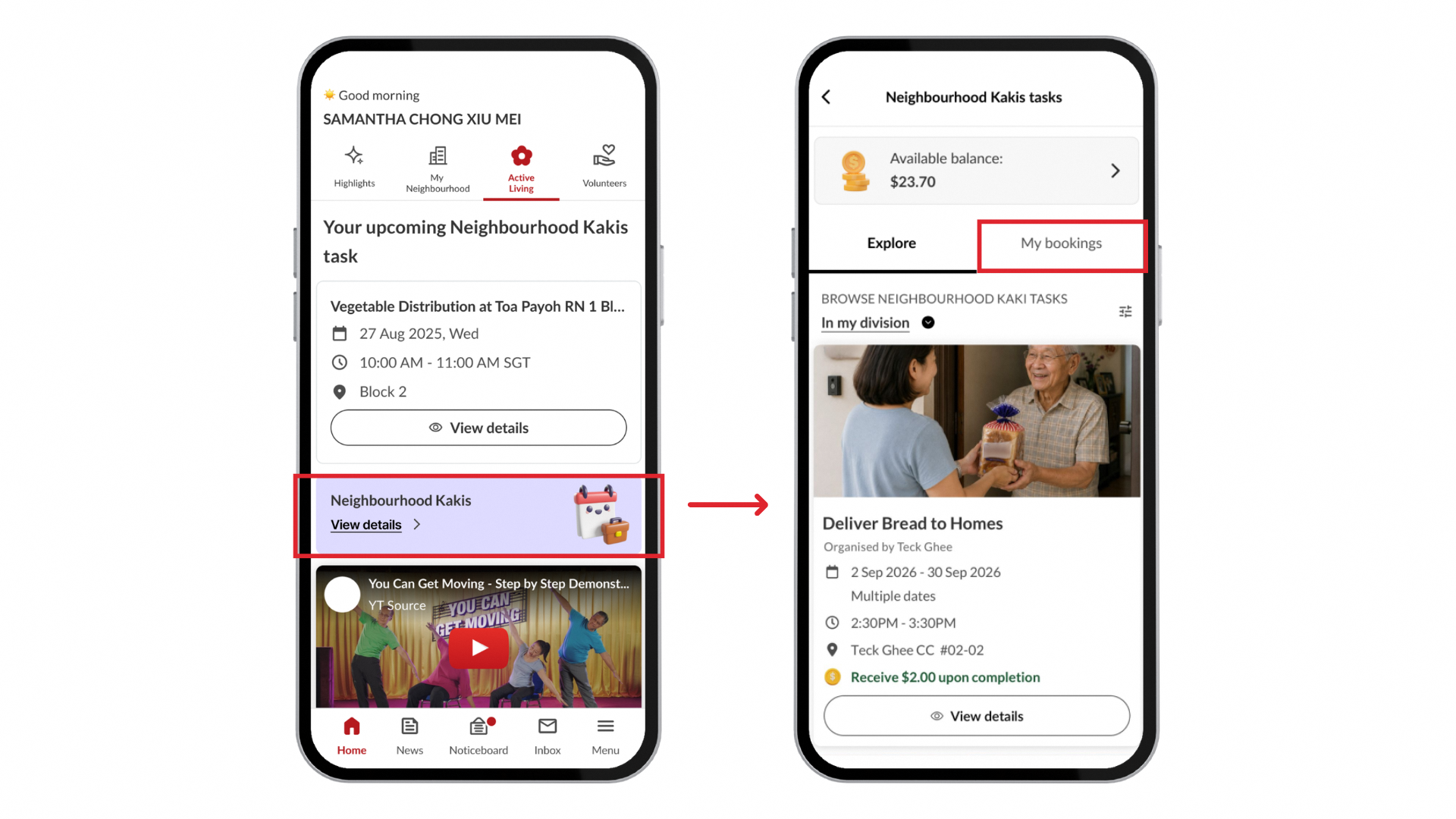
To view and manage your bookings, go to Active Living, tap View details, then My bookings.
Start your Neighbourhood Kaki journey: Download PA's Community App (opens in new tab) now!